Tool · Excel & Google Sheets
Your complete trading journal in one file.
Paste your trades from your broker export and instantly see what works – and what costs you money. English and German included.
What’s inside
Everything a journal needs. Nothing that slows you down.
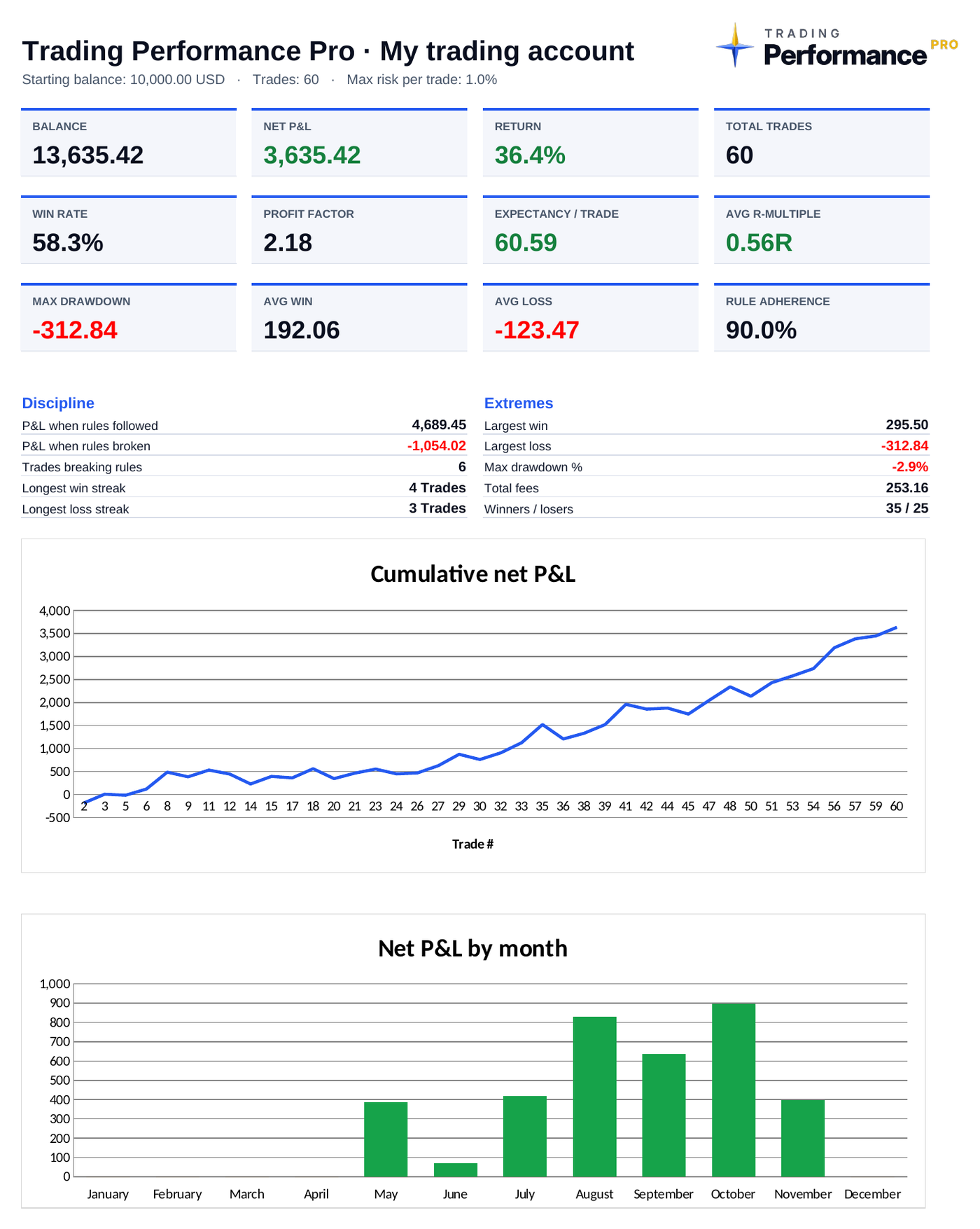
Dashboard with 12 key metrics
Win rate, profit factor, expectancy, avg. R-multiple, max. drawdown, rule adherence – plus equity curve and monthly P&L.
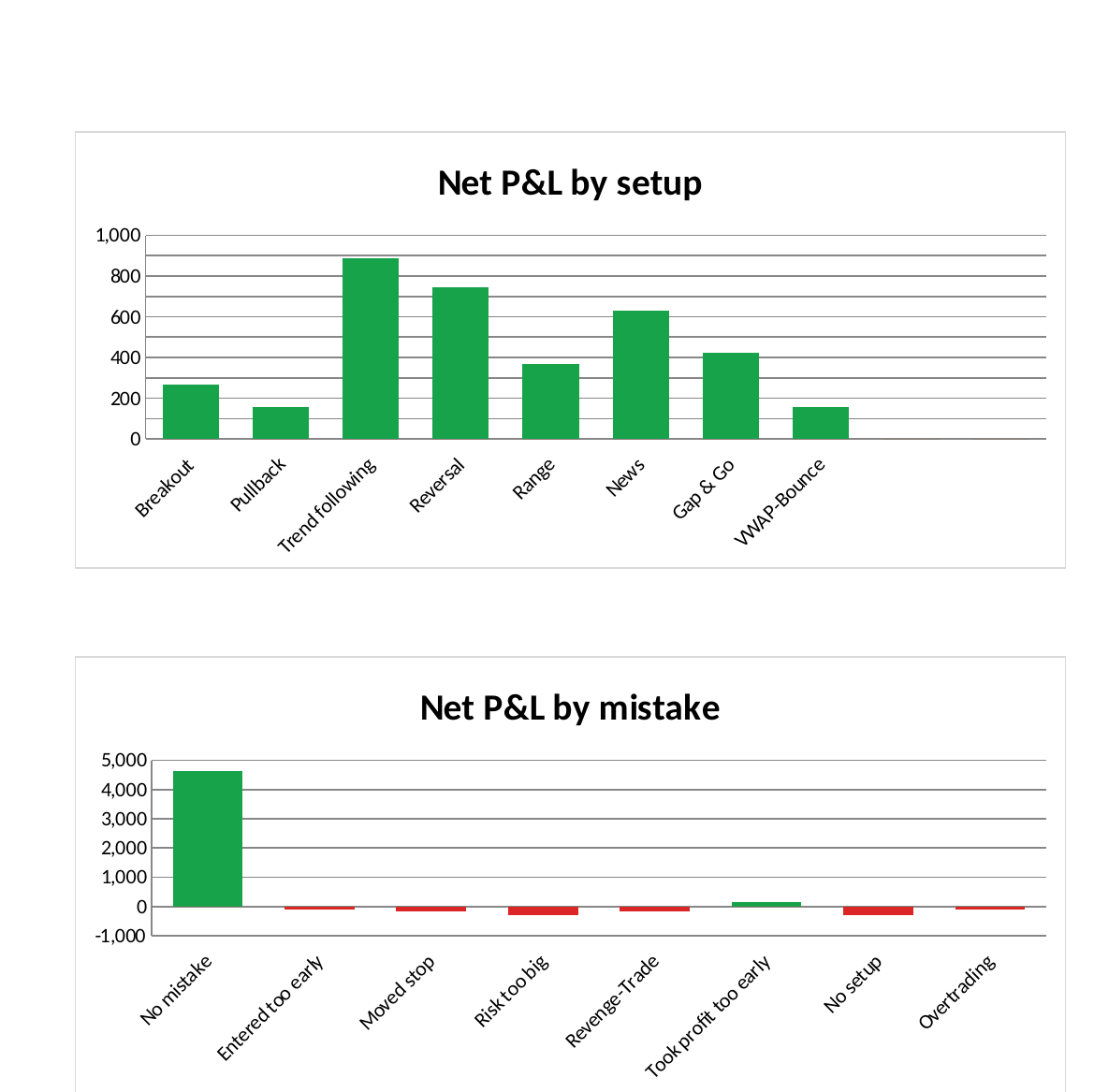
Analysis that exposes mistakes
Results by setup, market, weekday, session, direction, mistake and emotion.
Discipline check
Your result with rules followed vs. rules broken – in money.
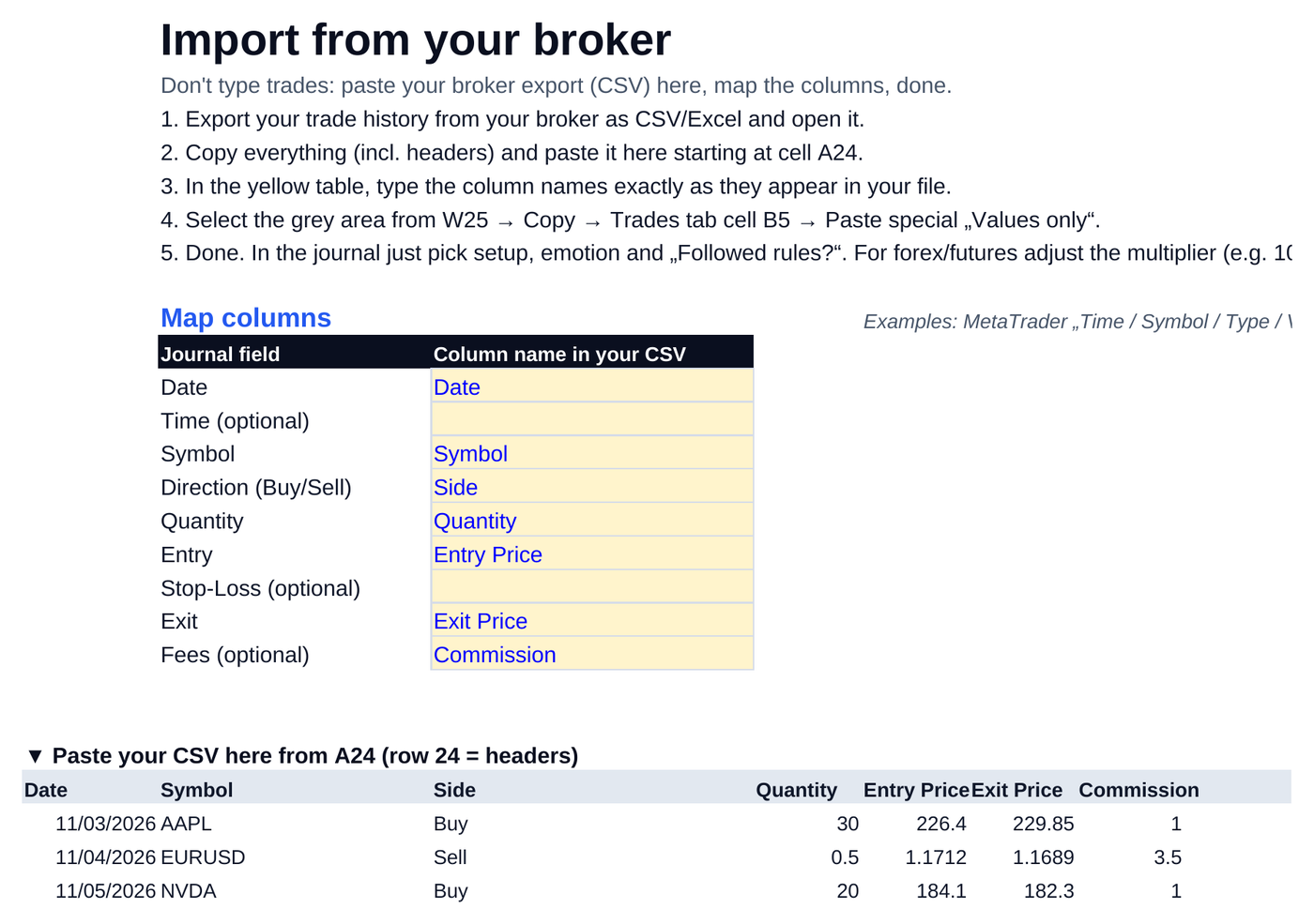
Broker import
Paste your CSV export, map the columns once, done. No typing.
Position size calculator + checklist
The right size for every trade and a clear signal: READY or DO NOT TRADE.
60 sample trades
See right away how everything works. Deleted in one step when you start.
Import
Paste instead of typing.
Export your trade history from your broker, paste it into the import tab and map the columns once. From then on journaling takes five minutes a week.
It’s for you if you …
- want to know which setup really makes you money
- want to see your most expensive mistakes in numbers
- don’t want a monthly subscription for a journal app
It’s not for you if you …
- are looking for signals or ready-made strategies
- don’t have five minutes a week for your review
FAQ
Do I need Microsoft Excel?
No. The journal works in Excel (desktop or online) and in free Google Sheets: File → Import → Upload.
Is this a subscription?
No. You pay once and keep the file. No broker password needed.
How do I get the file?
Right after checkout you get an email from Whop with instant access to the downloads – English and German.
What if the file doesn’t work?
Message us within 14 days. We fix the problem or you get your money back.